Carbon Brushes
Introduction
The AutoSpin uses two carbon brushes inside the motor – these are carbon blocks held against the spinning commutator by springs, allowing electrical power to reach the rotating part of the motor. Since they physically rub against it, they slowly wear down over time and are a normal consumable, similar to brake pads. There’s one brush on each side of the router near the top of the motor housing, behind the round black slotted caps. The AutoSpin uses Makita CB-408 brushes, and you can purchase replacements on our store.
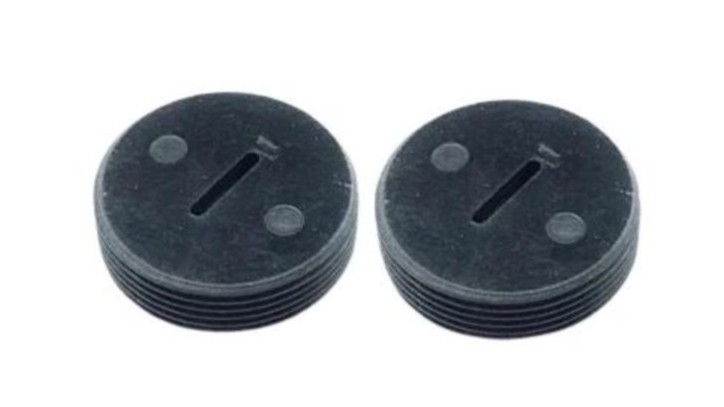
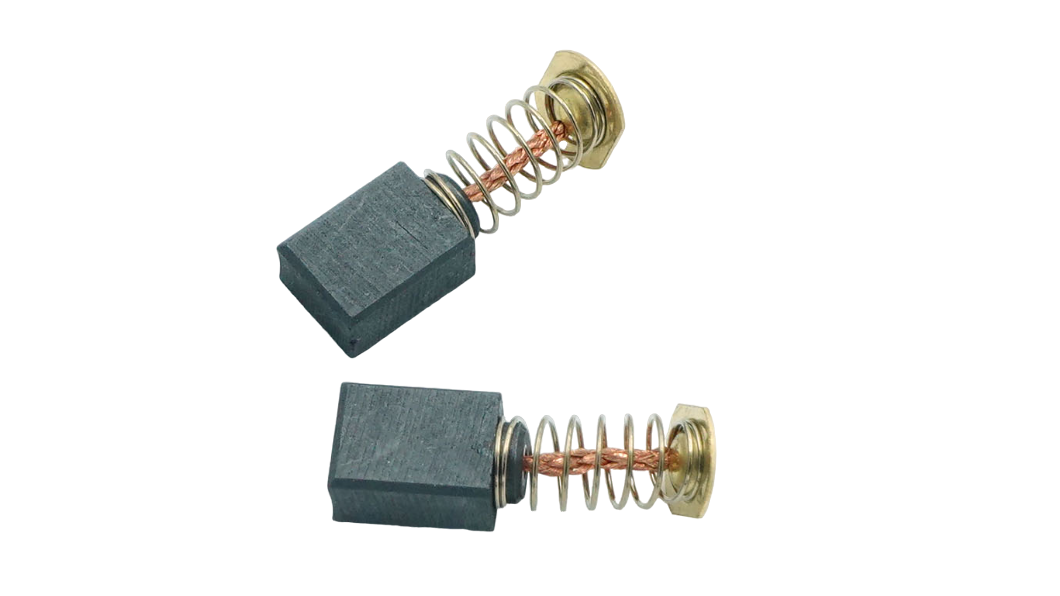
Normal wear should be gradual and fairly even between the two brushes. A few things can make brushes wear faster: lots of router hours, sustained heavy cutting loads, excessive heat, dust buildup, poor airflow, or problems around the brush/commutator area. This is also why decent dust collection matters — not because the vacuum directly saves the brushes, but because keeping dust out of the router helps maintain cooling and keeps the brushes moving cleanly in their holders. A good habit during machine maintenance is to: check the brushes periodically, keep the AutoSpin vents clean, and look for uneven wear, heavy sparking, burning, or damaged brushes.
Replacement Process
1. Unplug the AutoSpin.
2. Use a large flathead screwdriver to remove one brush cap.
3. Pull the brush and spring assembly out. Repeat on the other side.
4. Compare the two brushes for wear.
5. Install two new CB-408 brushes and reinstall the caps. Always replace them as a pair.