

Final Checks
We’re sure you’re itching to start cutting! Before chips go flying, we recommend going through these final checks and tasks to ensure you are set up for success.
-
Set up the AutoSpin router and check that it can spin up and stop:
a. Make sure the AutoSpin is unplugged and the power switch is in the OFF “O” position.
b. On gSender, go to Config, then to Spindle/Laser at the sidebar, then press the Setup AutoSpin button.
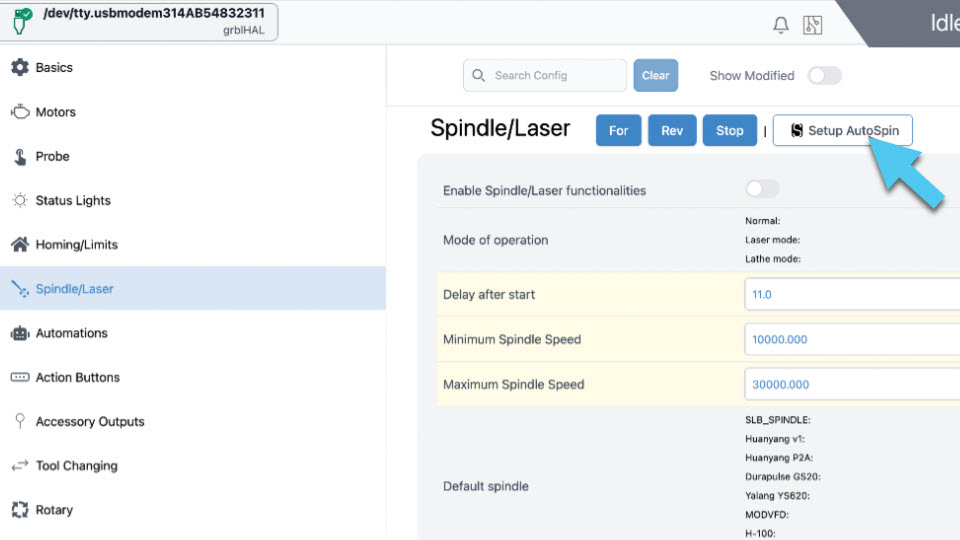
After pressing OK on the popup window, turn OFF/ON the controller and reconnect to gSender.
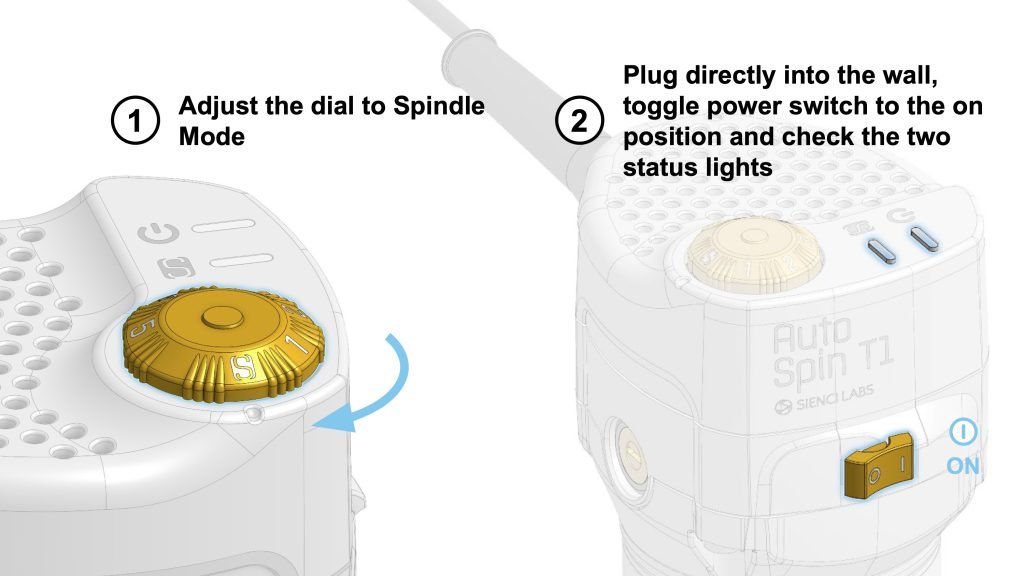
c. Turn the dial of the router to the S position.
d. Then plug in the router and flip the power switch to the I “ON” position.
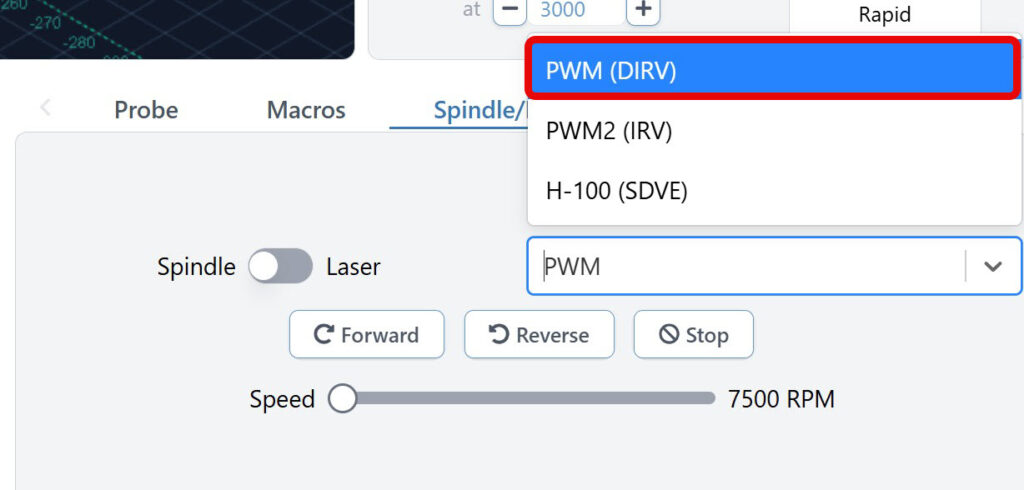
e. On the bottom right corner of gSender, ensure the toggle is at Spindle and that in the dropdown, PWM is selected.
Use the speed slider and Forward button to test at different speeds. Press Stop when you are done.
-
If you have the Sienci Labs Spindle Kit, open the Spindle Kit page to set up your spindle.
-
Set up and learn how to use your add-ons, if you have the Beginner’s Kit:
-
Slide the bristles into your MK3 dust shoe, if you have one.
If you have gone through the tasks above, then you are ready to start cutting! 🥳 Head over to Surfacing & First Projects to prepare your wasteboard and get some test cuts in.