

Hello and welcome to your LongMill MK3 Resources!
These resources are designed to help you understand your LongMill MK3 CNC machine, so you can get started seamlessly. We update these pages regularly to provide you with the most up-to-date information about your machine.
Find recommendations on how to prepare for your CNC journey, step-by-step assembly instructions, open source CAD files, and more!
Navigation
You may already want to jump to a specific section such as:
Otherwise if you’re not in a rush, take a moment to understand how to navigate through your online manual:
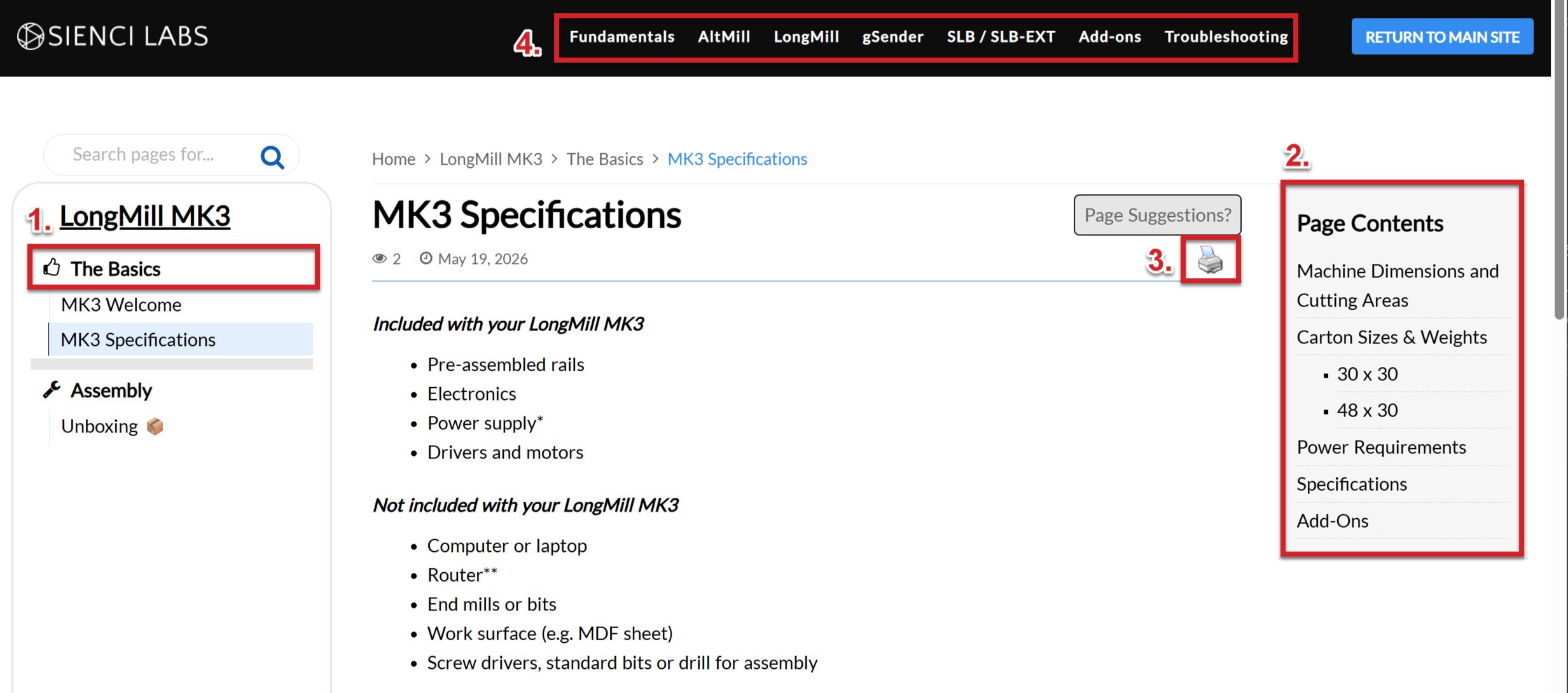
- The MK3 Resources is divided into sections like chapters in a book. Open and scroll through these and click on pages you want to read, these will always be available on the left side of the screen.
- The Page Contents acts as a way to quickly scroll along the page you’re on to any section of that page. On smaller screens this will appear at the top rather than the right side
- Any page can be saved as a PDF or printed if you’d like to reference them offline
- You can also navigate to other knowledge bases, such as Add-ons, Troubleshooting and Fundamentals, these will also contain critical information to your CNC journey!
Lastly, each page will have buttons at the bottom to move on to the next or previous page. This is handy because it allows you to “flip the page” in the chapter you’re reading, allowing you to go step-by-step learning information or navigating assembly.

Now go forth and learn!