

The AltMill 4×8 table can be assembled in either configuration:
- The default configuration, which maximizes cutting area (recommended for users primarily working with large sheet goods)
- An optional joinery configuration, which enables joinery work but reduces cutting area
In the joinery configuration, the spindle overhangs the table edge, so that stock material can be mounted and cut at the front of the machine. If you are planning on doing joinery work on ends of large stock/projects, such as table legs or intricate box joinery, we recommend you to assemble the table in the joinery configuration.
- You will still have 101″of remaining on-table spindle travel, allowing you to load full 4’x8′ sheet goods.
- If you have the ATC, you will only have 95.25″.
- The center of the spindle overhangs the front of the table by 3.7″, so you may want to install a front “apron” wasteboard to mount the joinery projects easier.
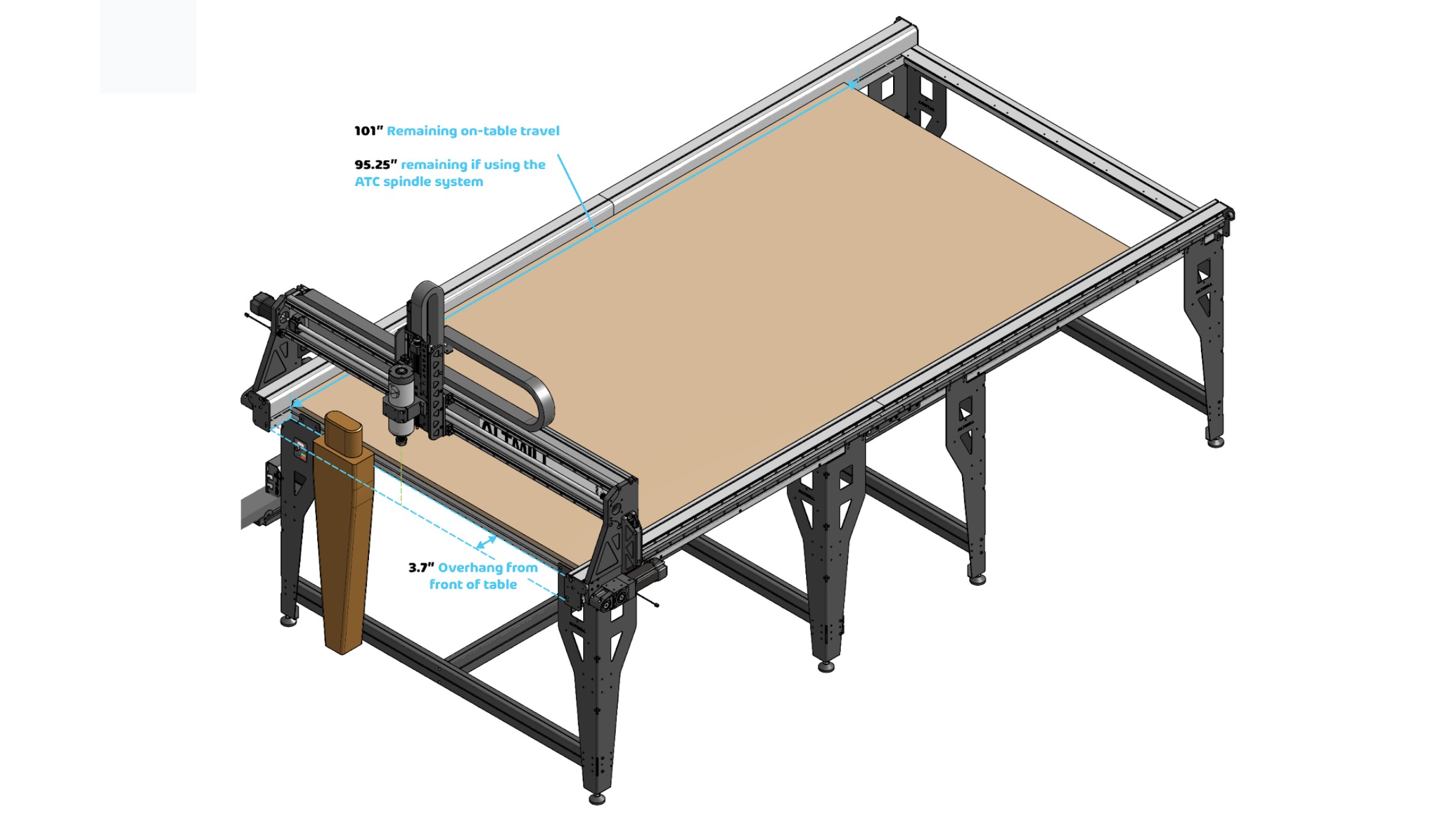
In the assembly videos, we provide step-by-step instructions on how to build your table in either the default or joinery configuration. We highly suggest you take some time to consider which configuration suits your needs best, so that you set up the table just once. Re-assembling the 4×8 to switch configurations will be difficult, potentially leading to errors that could impact machine operation.
Crossbeam and leg attachments
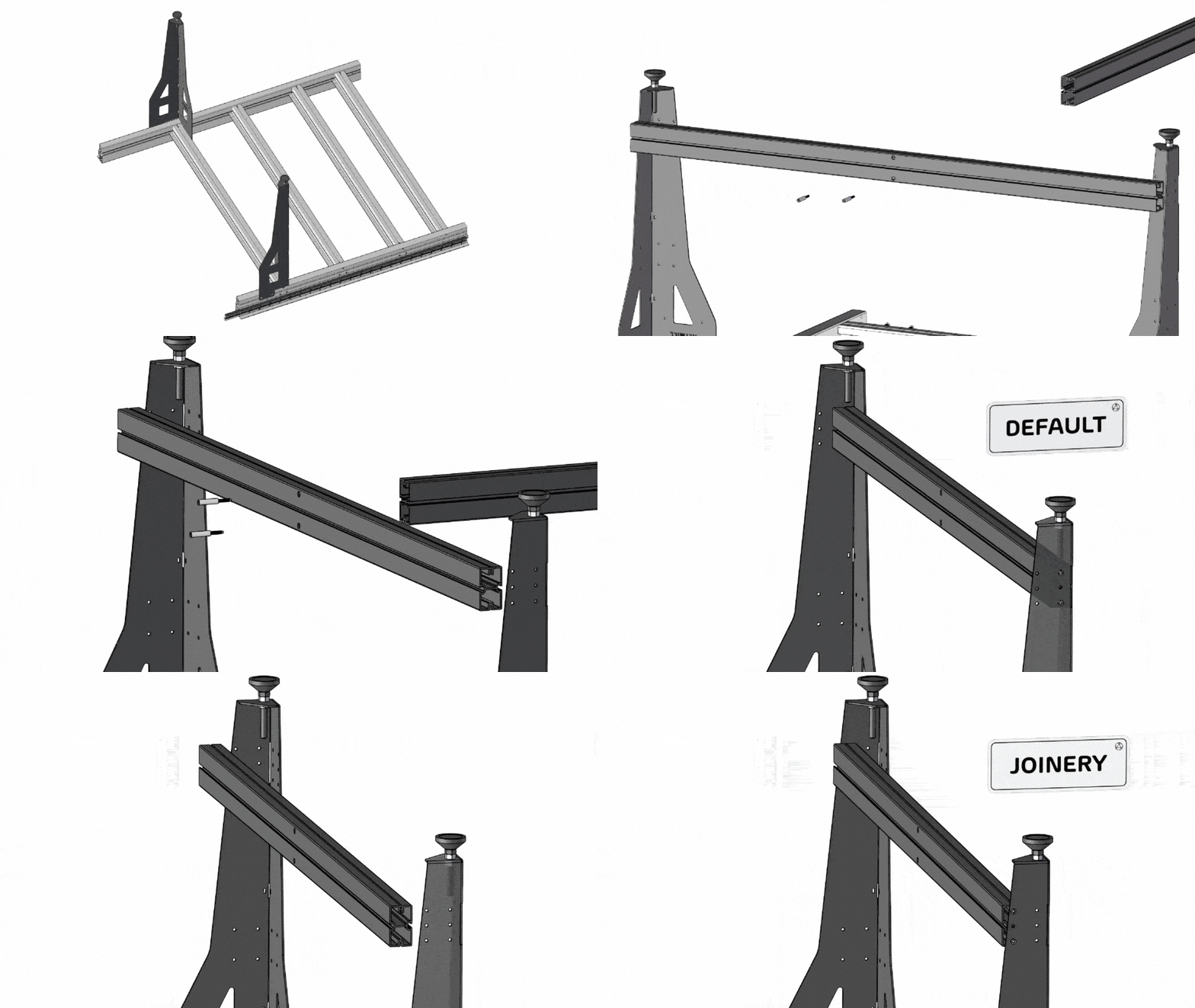
Leg support attachments
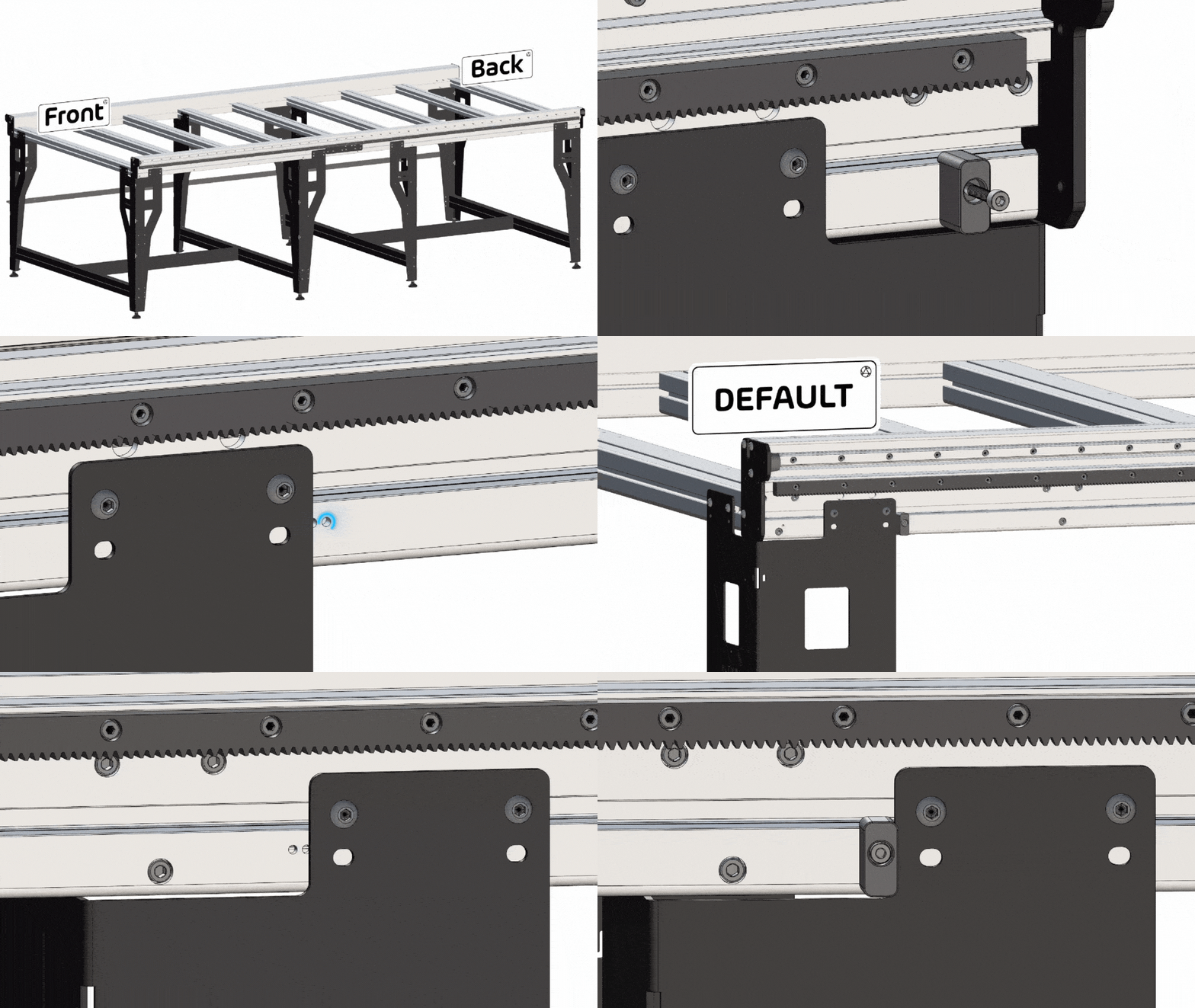
Y-axis stopper attachments