

CNC machines are adaptable tools capable of handling a wide range of projects. With the right add-ons, you can improve workflow, precision, safety, and creative flexibility. Here we introduce several common accessories that expand what your CNC can do.
IOT Relay ⚡️
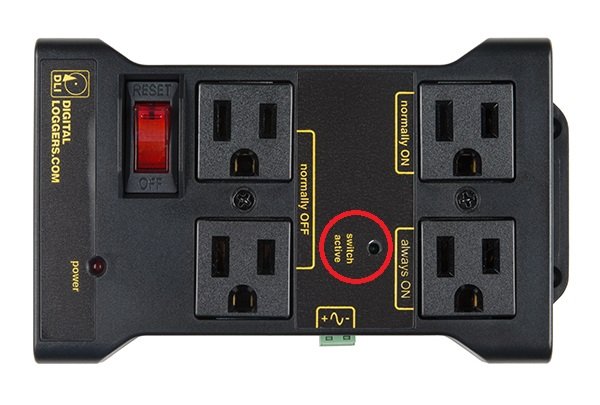
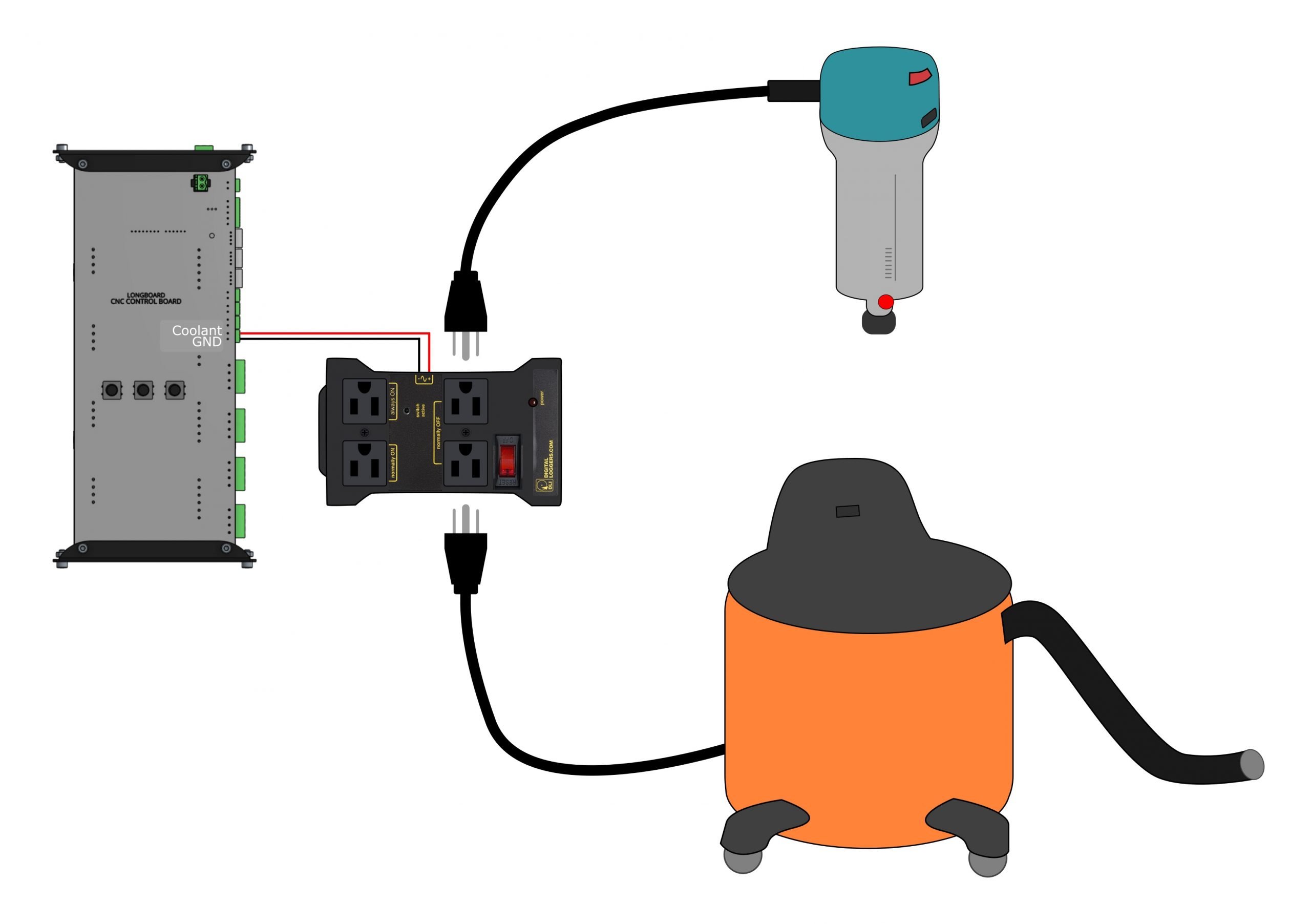
An IOT relay is a smart power control device that allows your CNC to automatically switch external tools on or off. When connected to your controller’s output signals, the relay can control a router, vacuum, or lighting automatically when a job starts or ends.
This automation simplifies workflow, improves safety, and helps keep your workspace organized. It ensures tools only run when needed, reducing wear and power usage.
Benefits
-
Automatically powers on routers, vacuums, or lights during a job
-
Improves workflow safety and consistency
-
Reduces manual setup steps between runs
-
Example Setup Images
Learn More:
IOT Relay setup →
Limit Switches 🧭
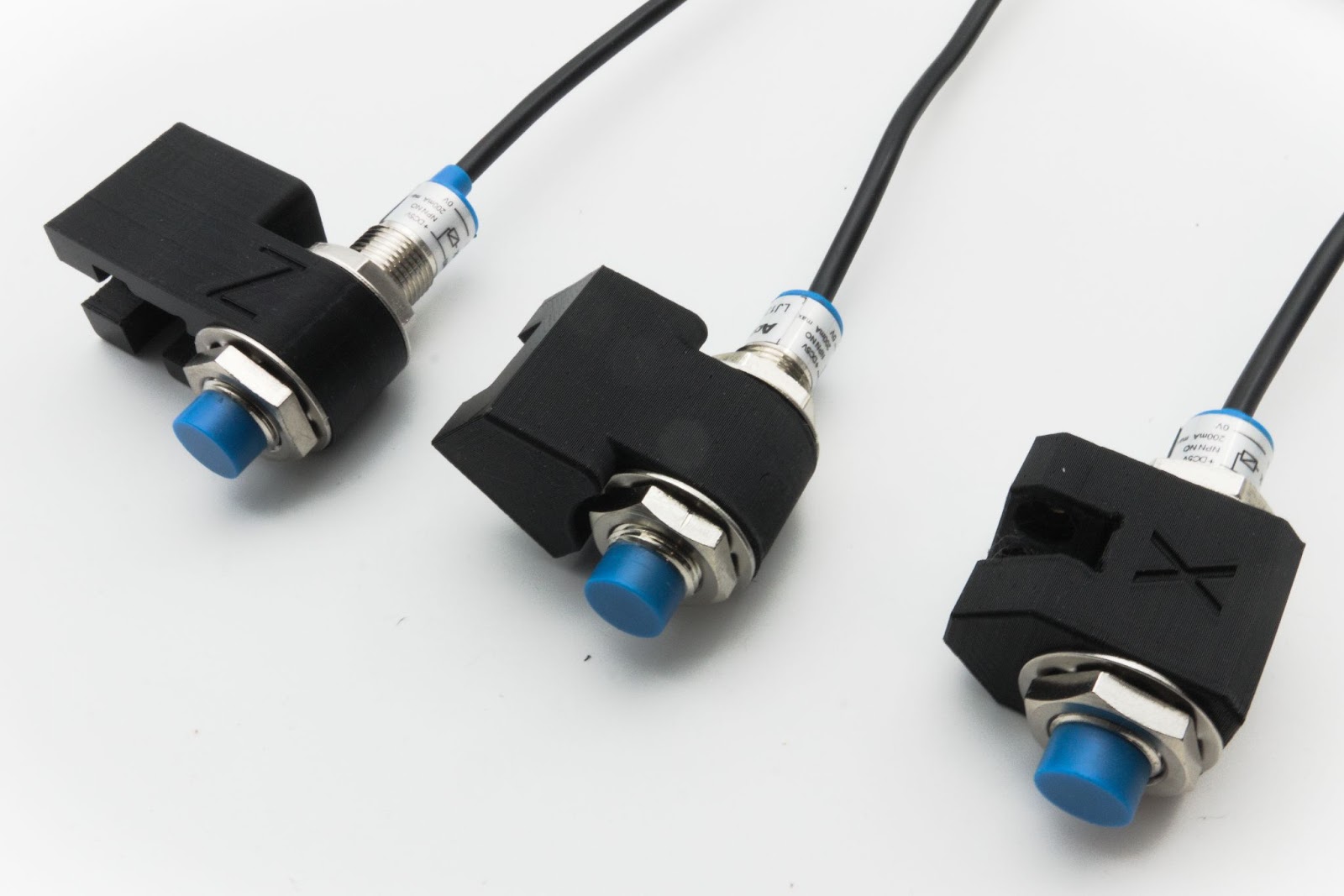
Limit switches define the boundaries of your CNC’s movement. Mounted at the ends of each axis, they prevent crashes by signalling the machine to stop when travel limits are reached. Limit switches also enable homing, which allows the machine to return to a known reference point automatically.
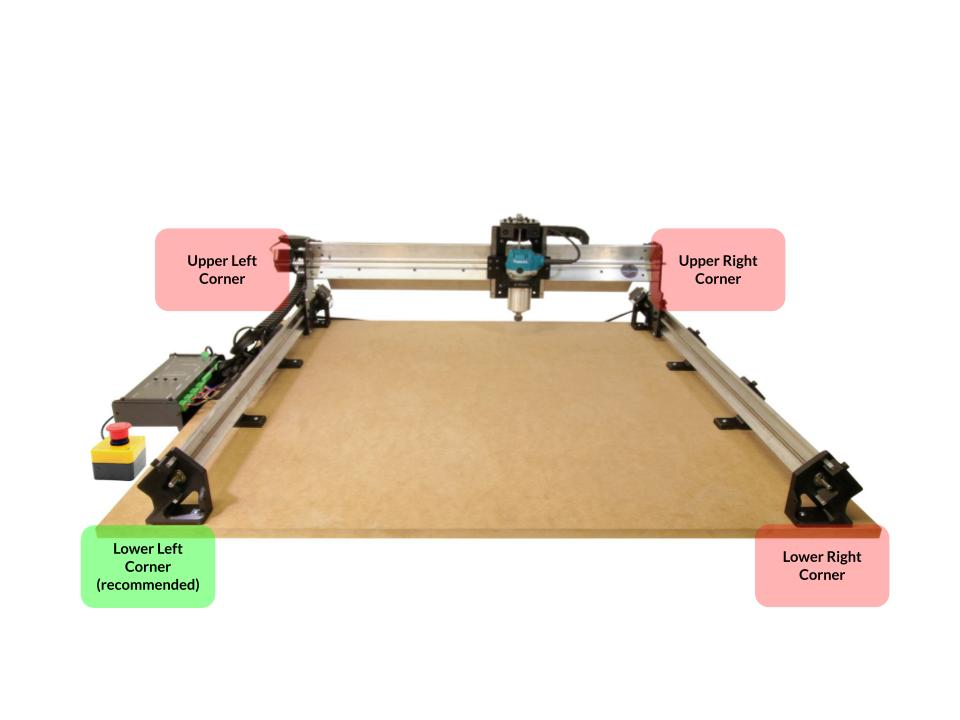
These switches are especially useful for repeatable setups, as they allow precise and consistent positioning from one job to the next.
Benefits
-
Prevents crashes and mechanical over-travel
-
Enables homing for repeatable starting positions
-
Improves overall accuracy and workflow consistency
Learn More:
Limit Switch setup and installation →
Touch Plate 📐
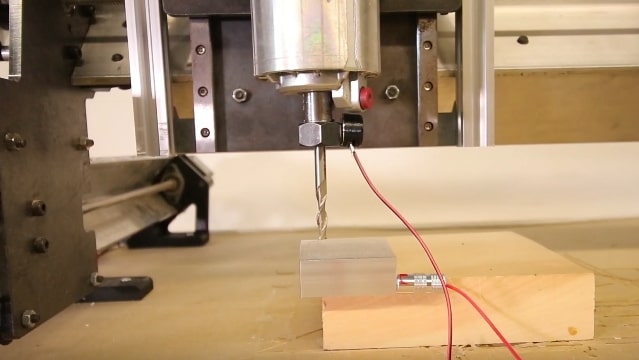
A touch plate helps your CNC machine automatically detect the exact position of your cutting tool relative to your workpiece. Instead of lowering the tool manually to find the surface, the machine uses electrical contact between the bit and the plate to determine a precise zero point.
When the tool touches the plate, it closes a small electrical circuit. The controller detects this contact and records the exact coordinates, setting your X, Y, and Z origins automatically. This saves time, improves repeatability, and reduces setup errors.
Why Use a Touch Plate
-
Faster setup: Zero multiple axes in seconds instead of manually jogging and testing.
-
Higher accuracy: The machine measures exact contact, eliminating guesswork and ruler-based errors.
-
Consistent results: Perfectly repeatable zero points across jobs, bits, and materials.
How It Works
-
Connect the plate’s cable to the probe input on your CNC controller.
-
Attach the magnet lead to your router collet or cutting tool.
-
Place the touch plate on your material—usually on the front-left corner.
-
Run a probing cycle through your control software (like gSender or UGS).
-
The tool gently lowers until it touches the plate, setting your zero automatically.
Different plate designs, such as standard block-style or AutoZero plates allow probing along just the Z-axis (top of material) or all XYZ axes (material corner). Most modern senders, including gSender, UGS, and CNCjs, support automatic probing with touch plates.
Learn More:
Touch Plate setup →
Spindle Kit 🧰
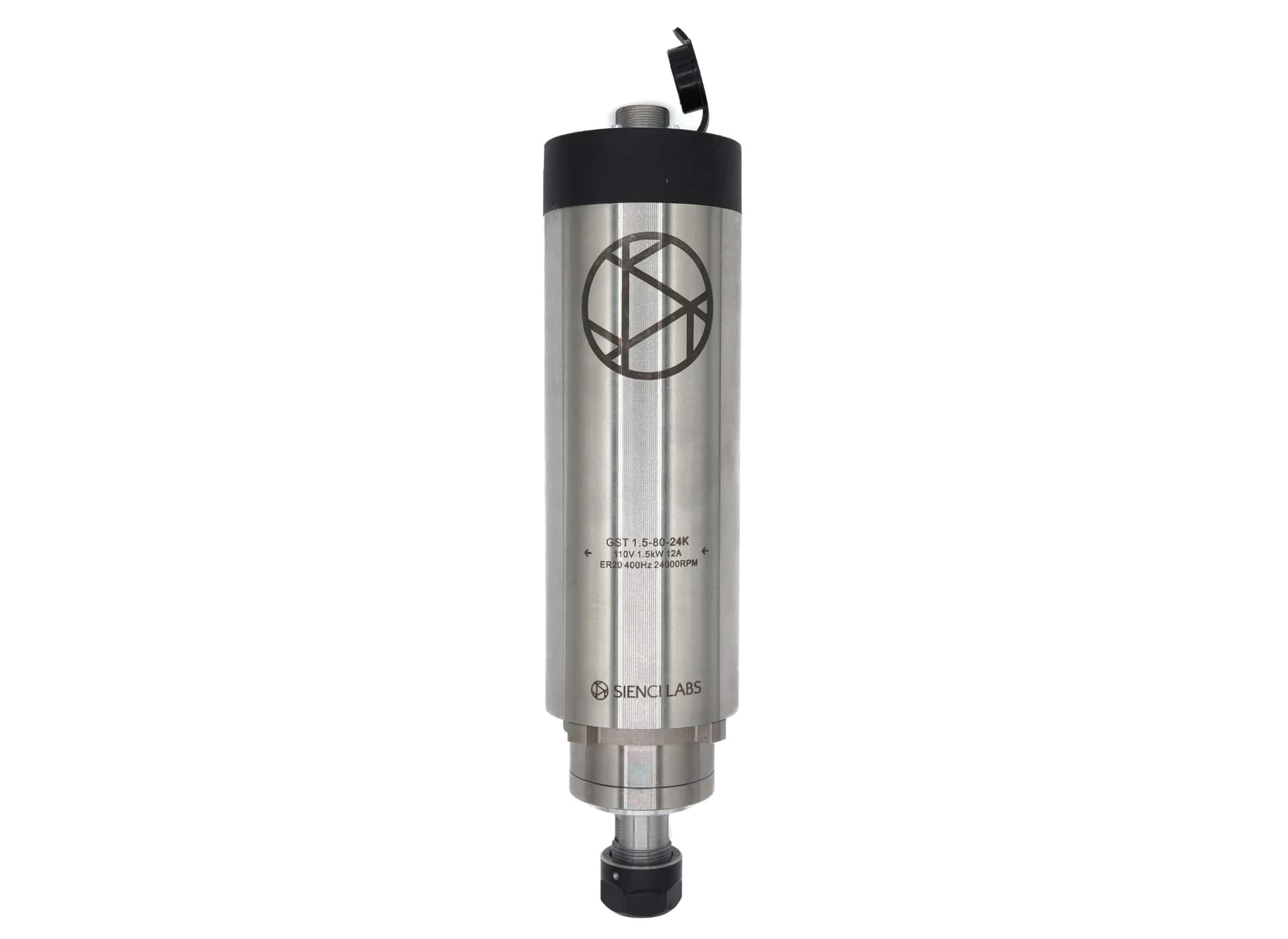
A spindle is a precision-built motor that replaces or upgrades a standard trim router on your CNC. Unlike routers, which are designed for hand use, spindles are purpose-built for CNC machining, offering smoother motion, better balance, less vibration, and fine-tuned speed control.
Spindles excel at running long jobs, handling tougher materials, and maintaining consistent precision over time. They’re the go-to for makers looking to push their machine’s performance to a professional level.
Benefits
- Quiet, balanced, and durable motor for precise cutting
- Adjustable RPM for different materials and tool types
- Brushless design = longer lifespan and lower maintenance
- Cleaner surface finish and extended tool life
- Designed for continuous-duty operation
Routers vs. Spindles 🔍
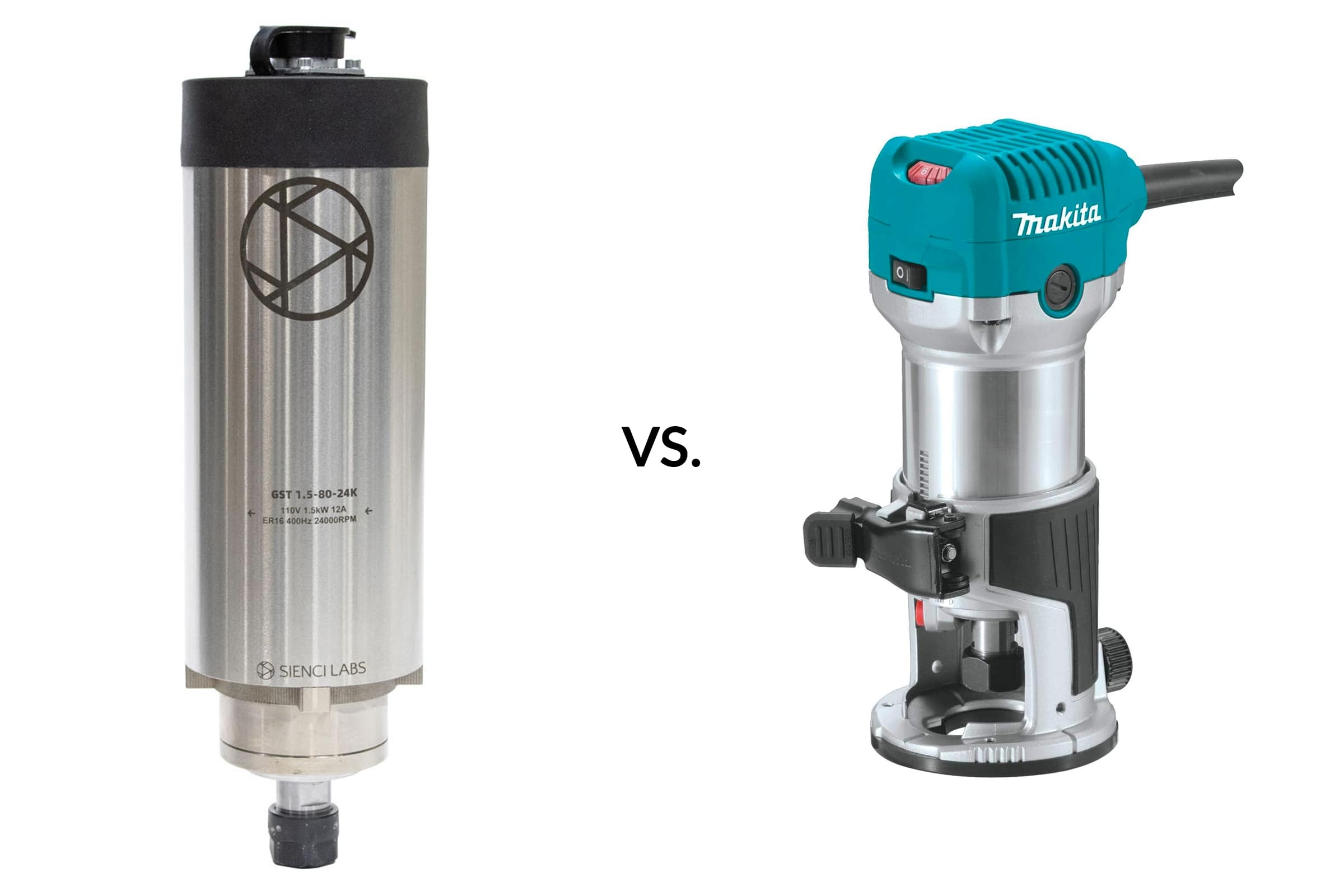
For most hobby CNC users, a trim router is the best starting point — simple, affordable, and capable of handling most materials. A spindle, on the other hand, is the natural upgrade once you want more precision, quieter operation, and automated control.
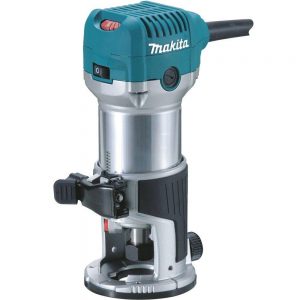
Routers
Most CNC hobbyists use compact routers like the Makita RT0700/RT0701, known for their reliability and price.
Advantages:
- Affordable (typically under $150 USD)
- 1–1¼ HP power is plenty for wood and plastics
- Wide speed range (10,000–30,000 RPM)
- Easy plug-and-play setup
Limitations:
- Louder than spindles
- Manual on/off and speed control
- Motor brushes wear out over time
Routers provide an “analog” experience — you manually set the speed dial and power switch. They’re perfect for newcomers, but as you move toward longer or more demanding jobs, their simplicity can become a bottleneck.
Spindles
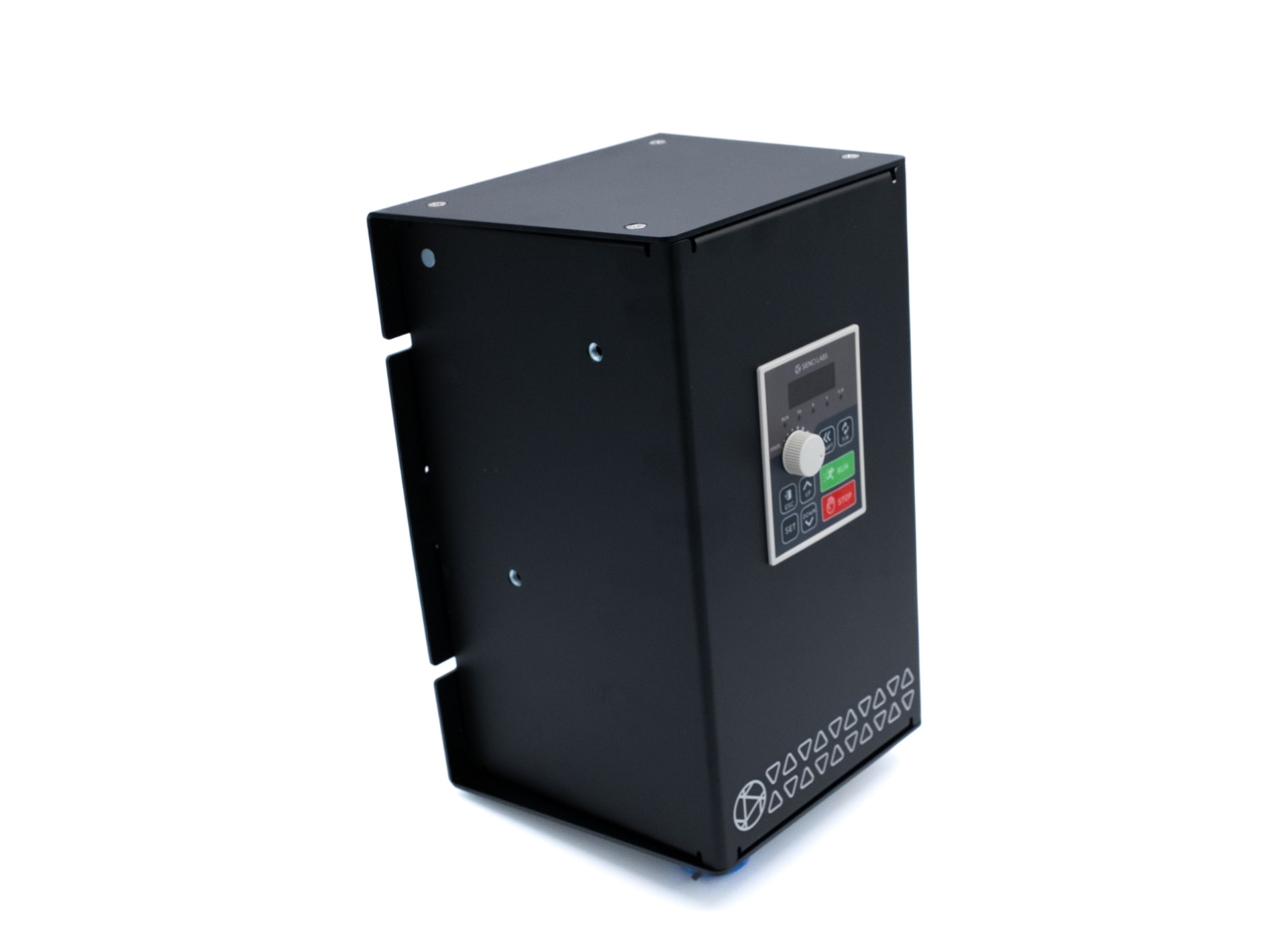
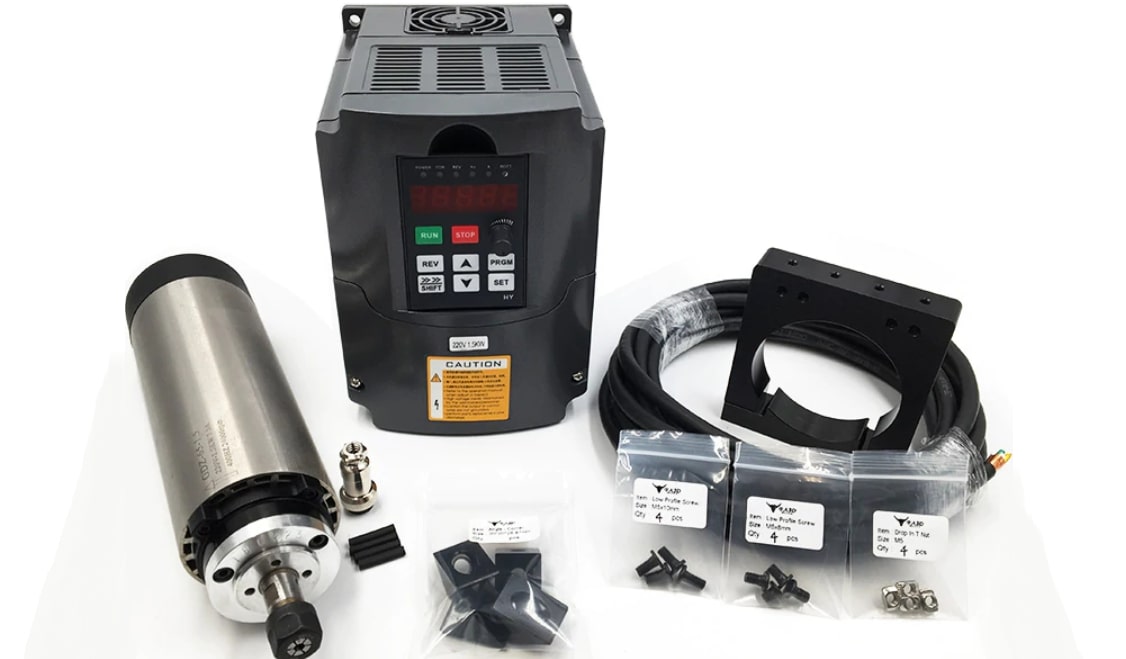
Spindles take performance a step further. Instead of plugging directly into the wall, a spindle motor connects to a VFD (Variable Frequency Drive), which delivers clean, precise power and allows full software control over speed, direction, and operation.
Advantages:
- Quieter and smoother operation
- More torque and power (1.5 HP+)
- Lower runout = cleaner cuts
- Brushless, designed for continuous operation
- Can be controlled directly by your g-code sender
Disadvantages:
- More expensive ($300–$1000+)
- Heavier (requires sturdy mount)
- More complex wiring and setup
Comparison Overview
| Feature | Router (e.g. Makita RT0701) | Spindle (with VFD) |
|---|---|---|
| Price | 💰 Low ($100–$150) | 💰💰 Higher ($300–$1000+) |
| Noise | 🔊 Loud | 🤫 Quiet |
| Control | Manual dial | Software-controlled |
| Longevity | Brushes wear | Brushless, long life |
| Setup | Plug-and-play | Requires wiring & VFD |
| Power | 1–1.25 HP | 1.5 HP + typical |
| Precision | Good | Excellent |
Why Not Dremels?
Handheld rotary tools like Dremels aren’t suitable for CNC use. They’re underpowered, prone to vibration, and not built for the side-load forces or precision tolerances CNC cutting demands.
Recommendations 💡
- Beginners: Start with a router like the Makita RT0701 — it’s affordable, proven, and easy to use.
- Advanced users: Upgrade to a spindle once you need quieter operation, automated control, and long-duration reliability.
If you’re considering a spindle, check our community setup discussions for wiring tips, VFD settings, and mounting examples:
Spindle Hookup Instructions →
Learn More:
LongMill MK2 Spindle Setup →
AltMill MK2 Spindle Setup →
T-Track Clamps 🪚
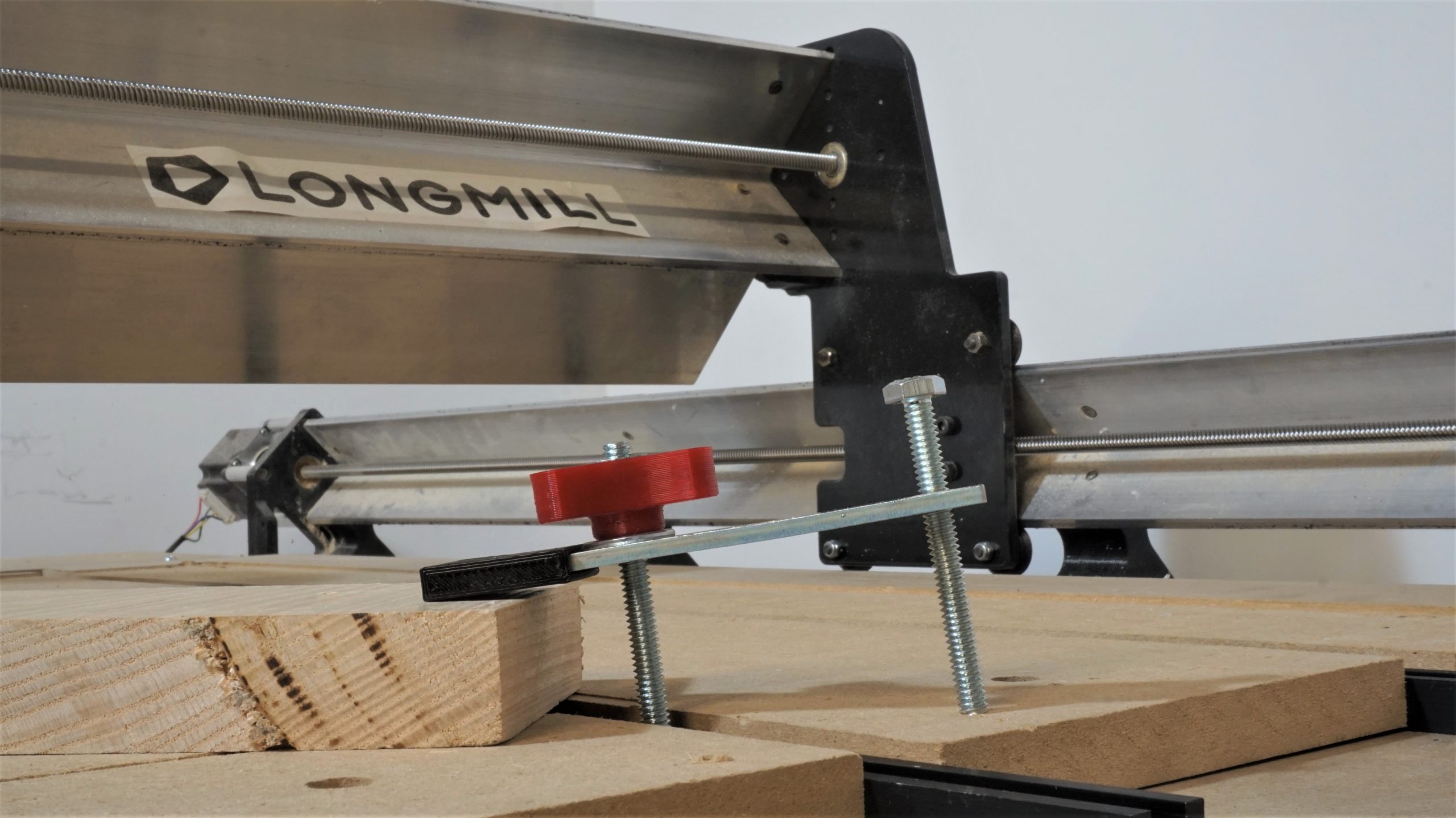
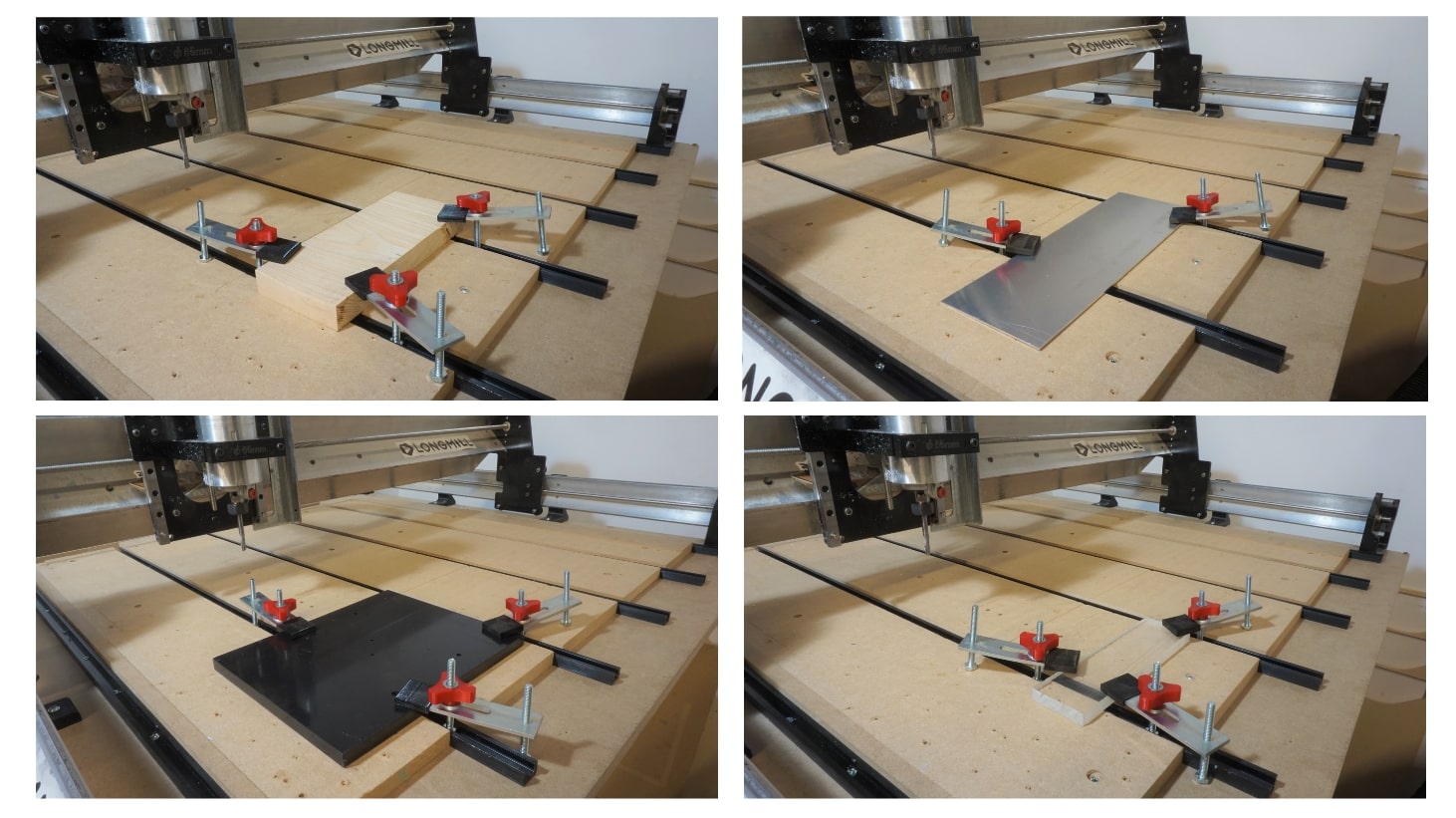
T-track clamps secure your material to the CNC bed using aluminum tracks. They can be repositioned along the tracks to accommodate different material sizes and shapes, providing both flexibility and stability.
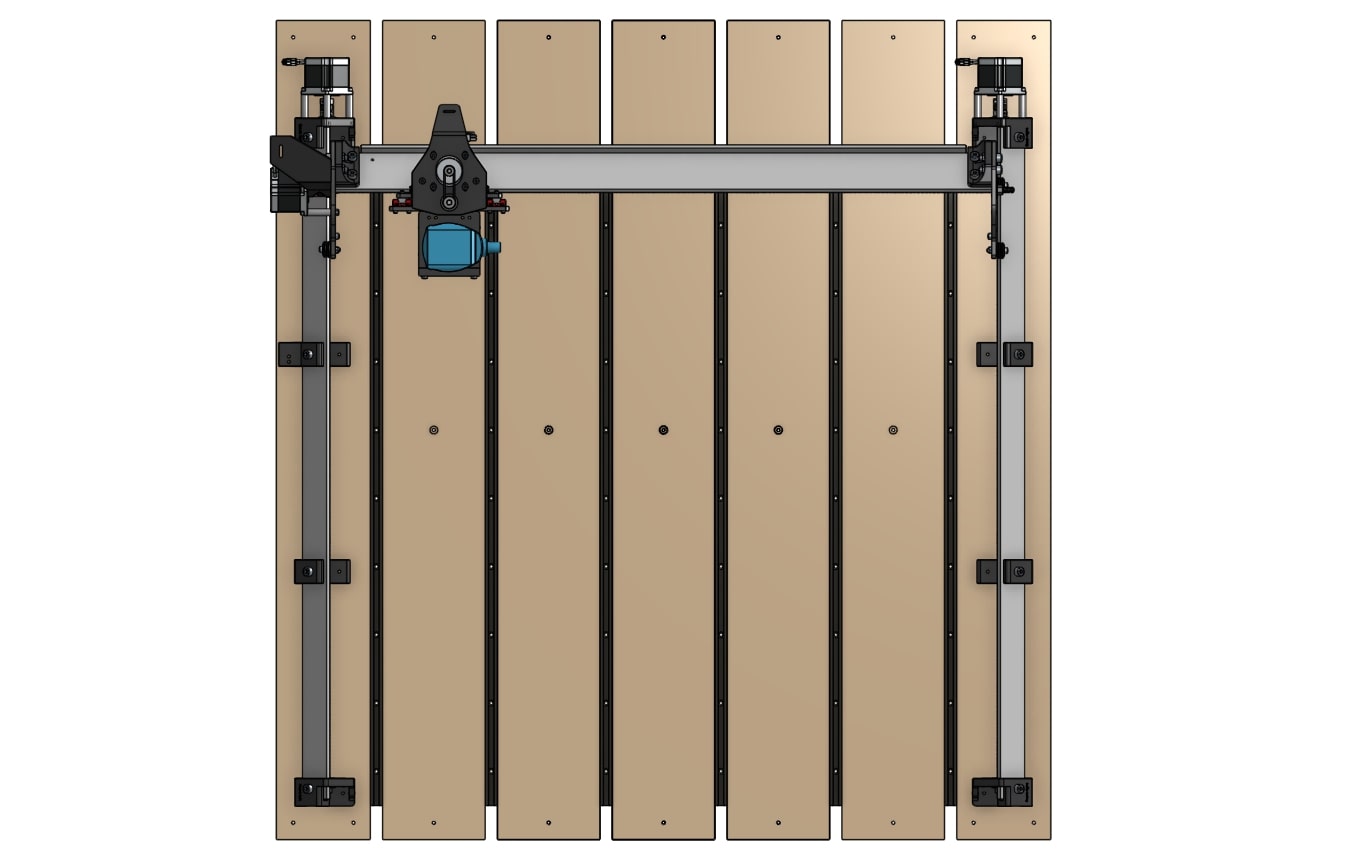
Strong, adaptable workholding is crucial for safety and accuracy. T-track clamps make it faster to secure materials, swap parts, or reposition workpieces between jobs.
Benefits
-
Flexible, adjustable workholding
-
Quick to reposition or release material
-
Ensures stable, safe machining
Learn More:
T-tracks setup →